Photo Sharing for Parties That Guests Will Actually Use

Stop chasing guests for photos after the party. Share a QR code for party photos or a link, and guests upload straight from their phones in seconds. No app required.

Unlimited Guests

Unlimited Photo & Video Uploads

Up to 12 Months for Uploads

Up to 14 Months of Storage

Audio Guestbook Included

How Party Photo Sharing Works Before, During, and After the Party

01

Before the party

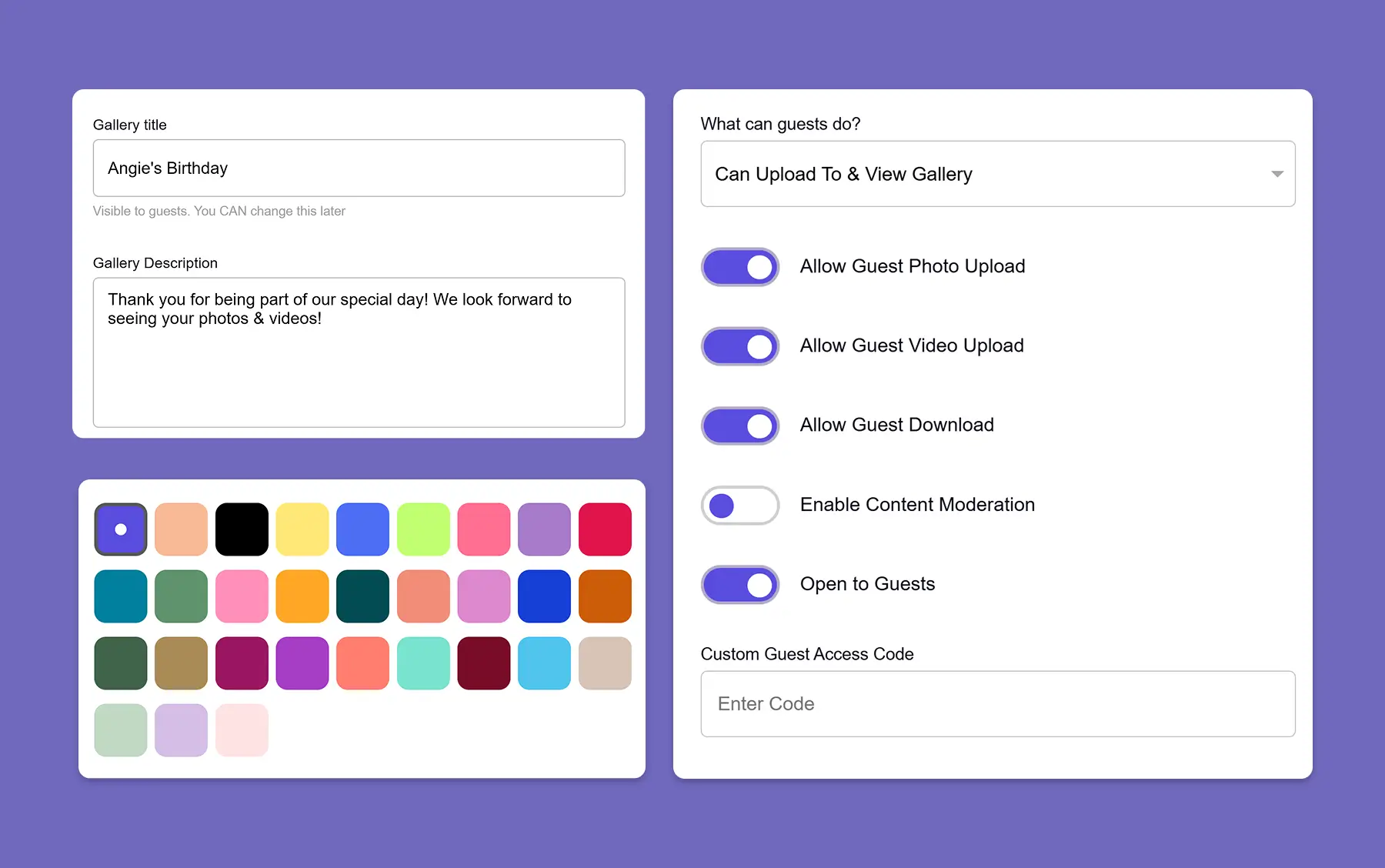
Set up your private party gallery in just a few clicks. Add your event name, customize the gallery, and generate your unique QR code for party photos. You can place it on a welcome sign, party invitation, table card, or share it in a group text before guests arrive.

1
GuestCam party photo sharing gallery setup screen with guest permissions, color picker, and custom access code options.
02

During the party

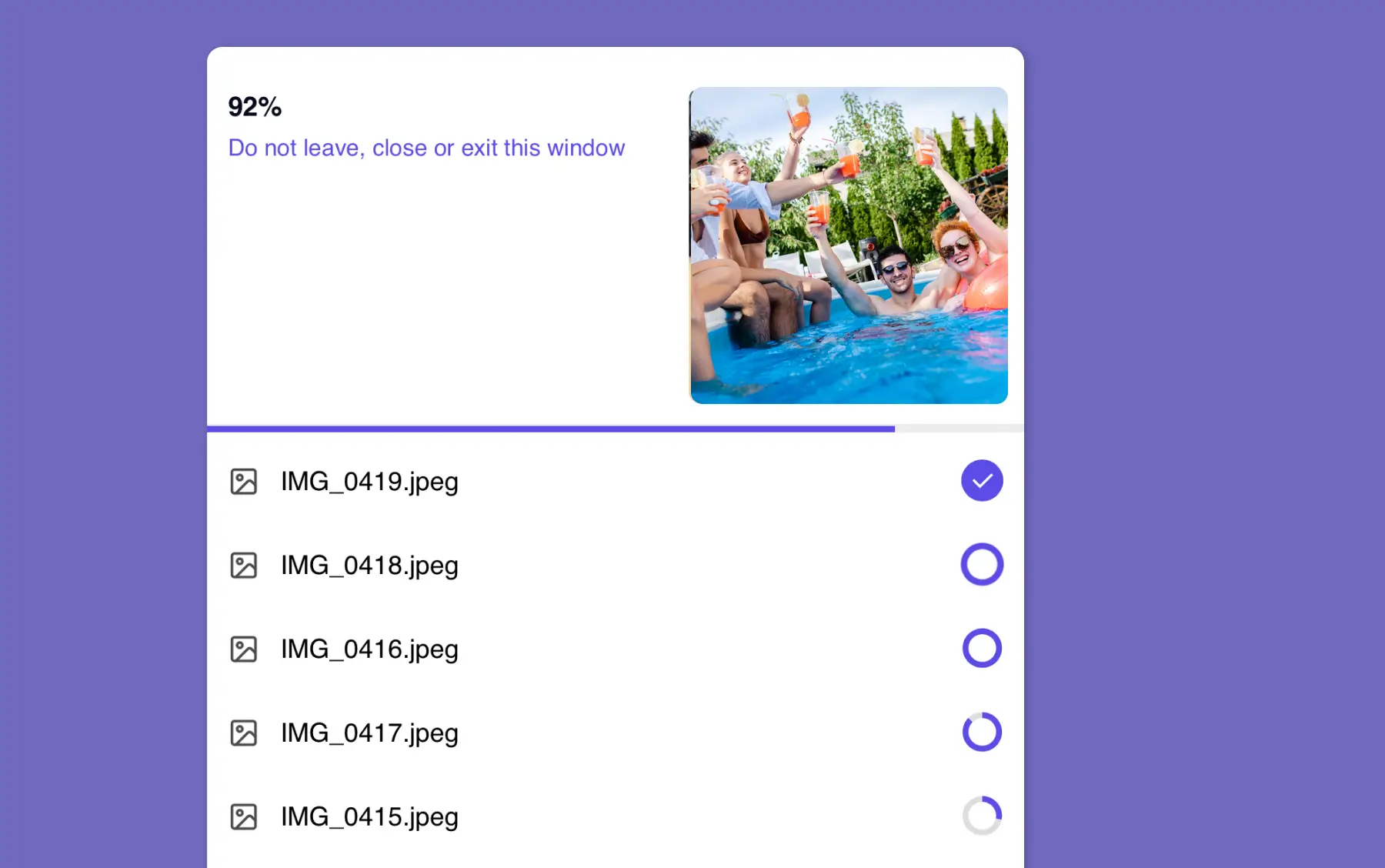
Guests scan the QR code or tap the link, open your gallery, and upload directly from their phones. No app download. No account creation. No complicated steps. That means less friction, more participation, and more real moments captured as the party unfolds.

2
GuestCam party photo sharing upload screen showing guests' pool party photos uploading at 92% with individual file progress indicators.
03

After the party

Not everyone uploads on the spot, and that is normal. Some guests go through their camera roll later that night or the next morning. With GuestCam, your gallery link stays open so guests can keep adding the photos and videos they forgot to share while the party was happening.

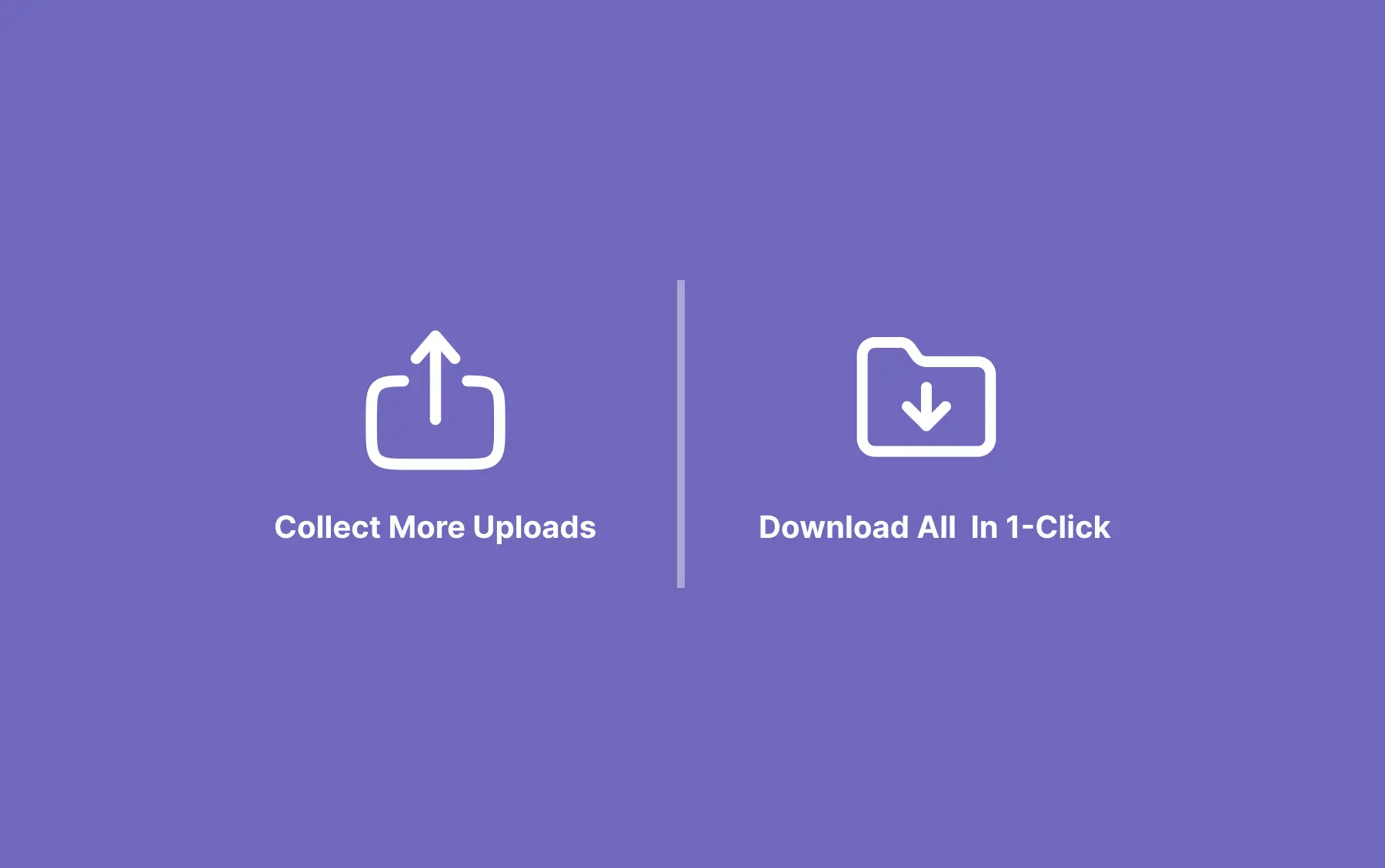
When you're ready, download everything in one click, every photo and video in its original resolution, exactly as it was captured.

That makes party photo sharing simple from start to finish, not just during the event itself.

3
Two icons side by side: an upload icon labeled 'Collect More Uploads' and a folder icon labeled 'Download All In 1-Click,' illustrating post-party photo sharing features.

Photo Sharing That Works for Every Type of Party

Not every party looks the same, but the photo-sharing problem usually does. Everyone takes photos, and somehow they end up spread across different phones, texts, and social apps. Here is how GuestCam fits into the celebrations people plan most.

Birthday parties and milestone celebrations

You are the guest of honour. You are hugging people, doing the rounds, making sure nobody is standing alone in the corner. The last thing you can do is photograph your own party. Your guests are already doing it. GuestCam collects every shot from every table, group, and quiet corner into one gallery that belongs to you.

Girl With Parents And Friends At Home Celebrating Birthday Firing Confetti Poppers At Party

Graduation parties and retirement celebrations

These events often bring together people from different parts of your life. A shared album makes it easy to gather photos from classmates, coworkers, relatives, and family friends without having to follow up with everyone individually.

Graduates celebrating at home with food and decorations, smiling and enjoying moment

Reunions - family, class, friend group

Reunions are often multi-day, multi-location, or split across different activities. GuestCam lets you create separate sub-galleries for each part of the weekend - Friday dinner, Saturday day trip, Sunday brunch, all accessible through the same QR code. One organised album covering the whole reunion.

Family clinking glasses at summer garden party

Baby showers and gender reveals

These events are full of moments the parents-to-be want to keep - reactions to the reveal, gift unwrapping, the group shots with friends who flew in. GuestCam gives all of that a destination, and the gallery becomes a keepsake the new parents can revisit long after the decorations are down.

Celebrating baby shower, diverse friends enjoying conversation and snacks at party

Bachelorette parties and pre-wedding celebrations

The photos from a bachelorette weekend often tell a better story than any other part of the celebration. Create a dedicated gallery for the bachelorette trip, then continue using GuestCam for the wedding itself - keeping every part of the celebration documented in one place.

Bride-to-be with friends wearing robes and flower crowns, laughing on bed

If you are planning other types of events too, explore our event photo sharing page for more ways to collect guest photos and videos. Planning a wedding instead? See our wedding photo sharing page for a more wedding-specific setup.

Why GuestCam Works So Well for Party Photo Sharing

There are lots of ways to ask people for photos. Very few feel easy enough that guests actually follow through. GuestCam is built to remove the usual friction.

No app download required A smartphone icon with a crossed out download arrow.

No app or guest account required

Guests can upload straight from their phones without downloading anything first. That makes it easier for more people to participate, especially at casual events where nobody wants extra steps.

Unlimited photo and video uploads

Let guests share as much as they want, from polished portraits to quick clips and spontaneous moments.

Original quality downloads

Party photos and videos should not lose their detail just because they were shared. GuestCam keeps your files downloadable in original quality.

Find every photo you appear in with MagicFind

Once photos are in the gallery, guests can take a quick selfie and GuestCam's AI instantly surfaces every photo they appear in across the entire album: shots taken by other guests, and shots taken by a professional photographer, that they would never have known existed.

Learn more about MagicFind

Extra features when you want more than a basic upload link

If you want to go beyond simple uploads, GuestCam includes features that make party galleries even better: Live Slideshow brings the gallery into the party itself, and our Audio Guest Book lets guests leave voice messages you'll treasure long after the party ends.

Three GuestCam party photo sharing features: Live Slideshow, Audio GuestBook, and MagicFind face recognition photo finder.

What Party Hosts Are Saying About GuestCam

Birthday celebrant dancing with daughter at her 70th birthday party
I used Guestcam for my mom’s 70th birthday party and it exceeded my expectations. The ease of use for all guests was amazing!! The 1 time affordable price allowed us to capture every moment from multiple angles. The 6 months post event access also allows guests to be present during the moment and upload or download photos and videos afterwards. Additionally it perfect when guests have different Apple and Android devices. I will definitely use guestcam in the future and recommend it to anyone!!

Nicole Wilson - 70th Birthday Party
A woman wearing a pink jacket and sunglasses
I was looking for an App or solution to share the professional pictures and video from this special event where our guest can download and upload the photos/videos.I am very happy with GuestCam, the "Magicfinder " just amazing. My guest they were very happy to use this App. It's a pity, that I didn't find this solution before....otherwise I could use a simple QR code during my event and my guest could immediatly upload the photos. Nevermind, better later then never.
Valentina Papp - 2025 Celebration
A group photo from a family reunion
Our daughter is getting married and I was curious about how GuestCam works, so I "tested it out" at a Family Reuinion. OMG! What a fabulous feature!!! We received over 800 photos!!! I was even able to download all the photos to a digital photo album to share with family members who could not attend. This worked so well that we have it set up as an "I-Spy" game for the wedding reception to capture moments that the photographer misses. Can't wait to see the results!!!
Patti Wuich - 2025 Family Reunion

Where to Display Your Party Photo QR Code

The more places guests see your QR code, the more photos you collect. You do not need to be subtle about it. Place it somewhere guests will naturally pause, glance at, and reach for their phone.

1

On your invitation or digital invite

Share your gallery link before the party even starts. Guests can bookmark the gallery before they arrive, which makes them more likely to remember to use it during and after the event. Some guests will even upload photos they took before the official party: the pregame, the getting-ready shots, the group car selfie on the way there.

2

Near the drinks station or kitchen counter

People gravitate to wherever the drinks are. At a house party or casual gathering, the kitchen bench or drinks table is the highest-traffic spot in the room. A printed card or small sign propped up there catches eyes all night without you having to say a word. Guests pick up a drink, glance at the QR code, and scan it while they are already on their phone.

3

On party favours, goodie bags, or custom cards

Guests take their favour home with them. If your QR code is on the card inside the bag or printed on the favour itself, it travels with them. The gallery is still open for months after the party, so a guest who spots the code on their kitchen counter two days later can still upload the photos they forgot about.

4

In your follow-up message the day after

Sending a quick message to thank guests for coming is also the perfect moment to remind them to upload. Many of your best photos will come from this second wave: guests who had too good a time to think about uploading during the party, but who will happily add their shots the next morning when they are scrolling through their camera roll.

Frequently Asked Questions About Photo Sharing for Parties

Do guests need to download an app to upload party photos?

Can guests upload both photos and videos?

How does a QR code for party photos work?

Is GuestCam only for birthday parties?

Can guests upload after the party ends?

Can I download all the party photos at once?

Is the gallery private?

Can guests view the live photo slideshow on a TV or projector at the party?

Make Every Party Worth Remembering

Every photo your guests took, collected automatically in one place. Create your party gallery in under two minutes and have your QR code ready before the first guest arrives.

Unlimited Guests

Unlimited Photo & Video Uploads

Up to 12 Months for Uploads

Up to 14 Months of Storage

Audio Guestbook Included
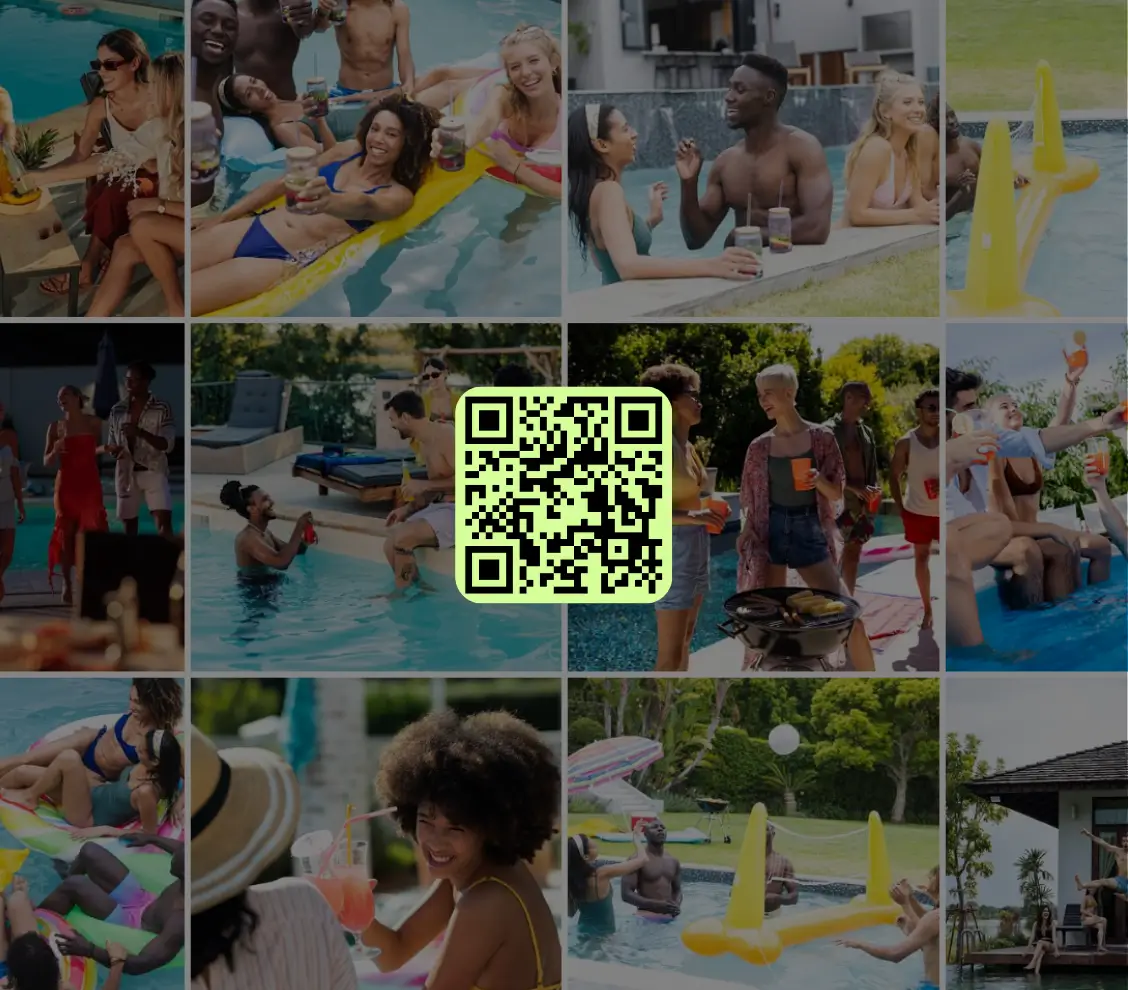
An online photo gallery grid for a party with a QR Code in the middle