Need Help?
Collect wedding voice messages from friends and family at your reception or from afar. Guests can record in their phone browser using your audio guest book QR code or shared link, use your tablet in PhoneBooth mode, or call a phone number on Premium.

No Rental Needed
Listen Instantly, Not weeks
Starts at $49
Photo Sharing Included
Choose the recording option that fits your wedding, or give guests more than one way to contribute.
Guests open your audio guest book QR code or shared link and record a voice message through their phone browser. There is no app to download, and browser recording is available on all plans.

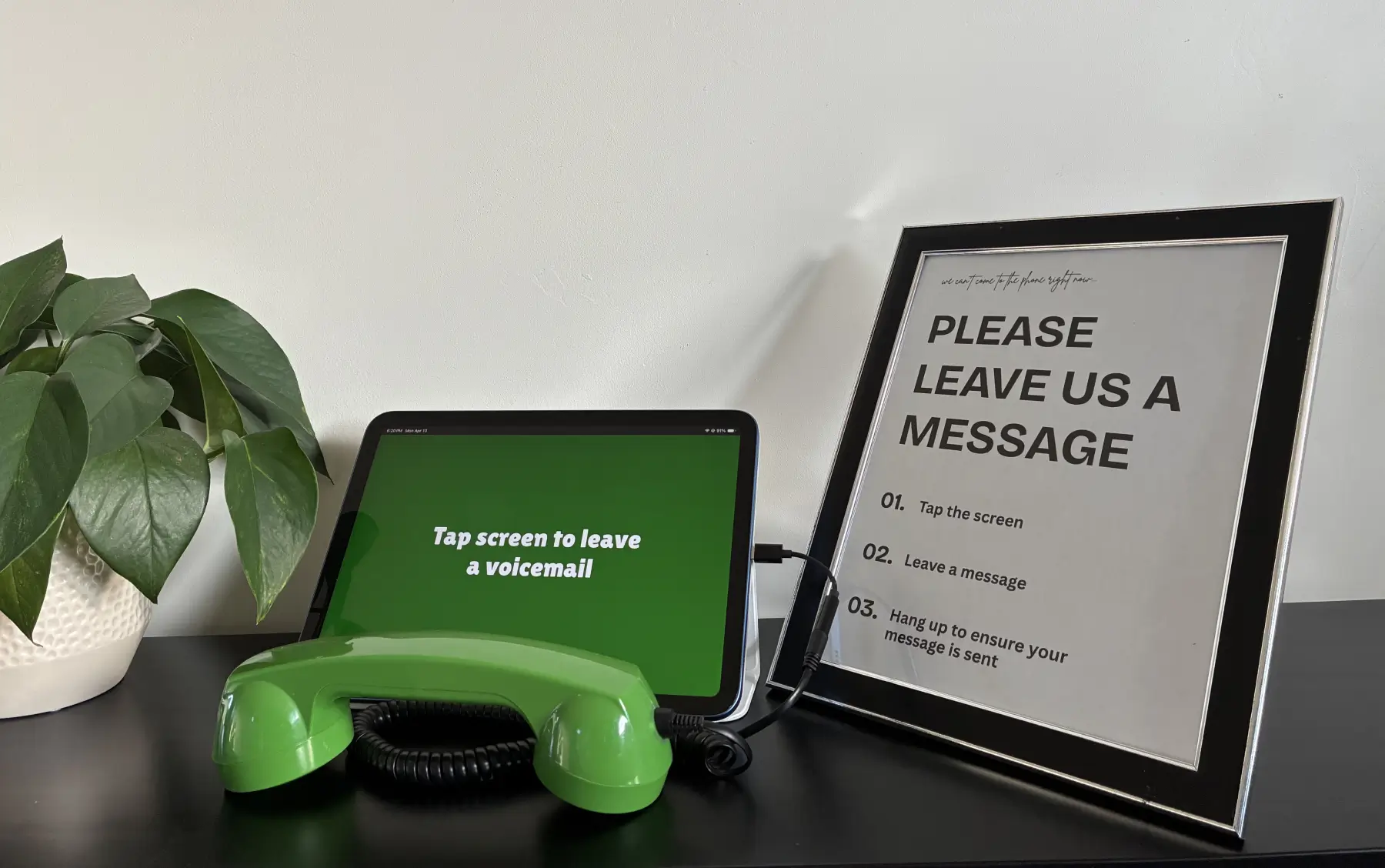
Use your own tablet to create a recording station at your reception. Guests tap the screen and leave a voice message using GuestCam’s PhoneBooth mode, with no physical phone to rent, ship, or return.
Learn how to set up PhoneBooth
On Premium, guests can call a shared phone number, enter the code for your wedding, and leave a voice message. You can also add a dedicated phone number for a small additional fee. Dedicated numbers are currently available for US and Canadian numbers.

A physical phone rental and GuestCam can both preserve messages in your wedding guests’ voices, but they create different experiences. The right choice depends on whether you want a genuine vintage phone at your reception or a no-rental setup with browser, tablet, and remote recording options.
Choose a physical rental if having an authentic vintage phone is an important part of your wedding aesthetic and guest experience. Choose GuestCam if you want to collect wedding voice messages without renting hardware, while also giving reception and remote guests several ways to record.
Friends and family can contribute whether they are celebrating with you in person or joining from somewhere else. Their messages are collected in the same GuestCam gallery.
Guests at the venue can record through their phone browser or use your tablet in PhoneBooth mode. On Premium, they can also leave a message by calling the shared dial-in phone number.
Send your shared GuestCam gallery link to friends and family who cannot attend. They can open it in their phone browser and leave a wedding voicemail from wherever they are. On Premium, they can also call the shared phone number from anywhere in the world.
Welcome wedding guests in your own voice, give them plenty of time to record, and listen to each message from your GuestCam gallery once it is available.
Record a custom greeting that plays before guests leave their wedding voice message.
Messages recorded through the GuestCam gallery can be up to 10 minutes each. Messages left by phone call can be up to 5 minutes each. There is no limit on the total number of voicemails your gallery can receive.
Once a guest finishes recording and the message is uploaded to your event, it is available to play from your GuestCam gallery.
Create your wedding audio guest book and collect voice messages through guests’ phone browsers, your tablet in PhoneBooth mode, or the shared phone number available on Premium. Plans start at $49, with no physical phone rental required.
No Rental Needed
Listen Instantly, Not weeks
Starts at $49
Photo Sharing Included

Scan the QR code or use the link below to step into the guest portal and see how easy it is for guests to join and upload.