Need Help?
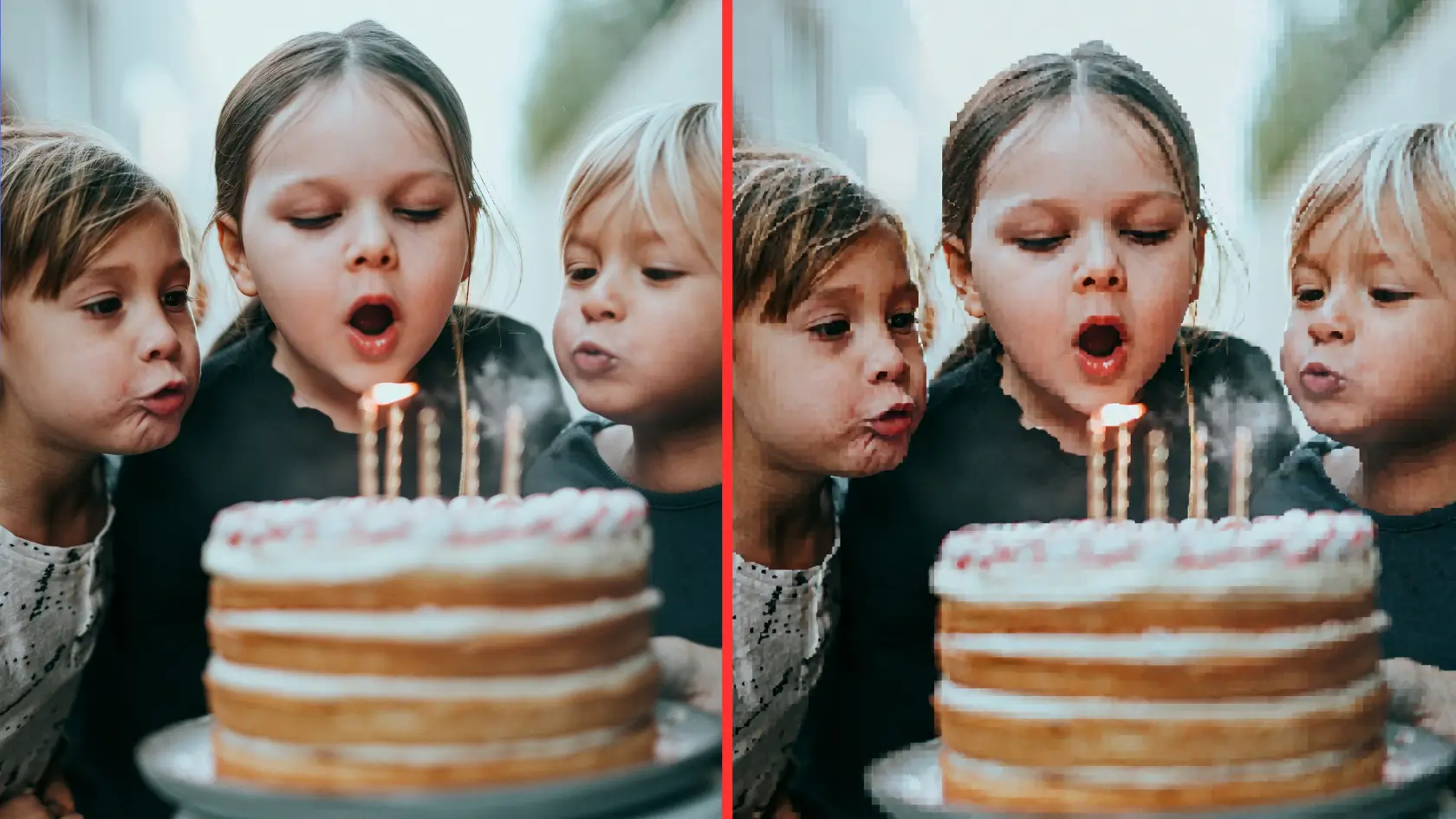
You take a photo that looks crisp in your camera roll, send it in a text, and the version on the other phone suddenly looks soft, blocky, or noticeably worse.
In most cases, the camera is not the problem. The file has been resized, recompressed, or changed while being sent.
But the explanation is a little more complicated than "text messages ruin photo quality." What happens depends on how the message is actually sent. Today, that could be iMessage, RCS, or the older MMS standard, and they handle photos and videos very differently.
That distinction matters even more now that iPhones can use RCS when messaging supported Android phones. A green bubble no longer automatically means your photo was sent through MMS.
Compression makes a digital file smaller.
That is useful because smaller files require less data, upload faster, and are easier for a messaging service to deliver. The trade-off is that some methods of compression can remove information from the file.
There are two broad types:
Lossless compression reduces file size without throwing away the underlying image information. When the file is reconstructed, the original data is preserved.
Lossy compression makes much larger reductions possible by discarding some information. Done lightly, you may barely notice. Done aggressively, fine details disappear, edges become less defined, and smooth areas can start to look blotchy or blocky.
A messaging service can also reduce an image's dimensions. For example, a photo captured at 4032 × 3024 pixels might be delivered at a much smaller resolution.
Those are separate things. A photo can be resized, recompressed, or both.
Video is harder to shrink because there is much more information involved. Instead of one image, a video contains a continuous sequence of frames, along with audio.
To make a large video fit within a restrictive attachment limit, a service may reduce its resolution, lower its bitrate, or apply stronger compression.
That is why a compressed photo may just look a little softer, while a compressed video can become obviously pixelated.
When people say they "texted" a photo, they may be describing several completely different methods of delivery.
Here is the basic difference:
High-resolution support does not necessarily mean every file will always arrive as a byte-for-byte copy of the original. Device settings, messaging apps, carrier support, and attachment size can still affect what happens.
The biggest quality problems generally appear when a conversation falls back to MMS.
When two Apple users communicate through iMessage, their messages travel over Wi-Fi or cellular data rather than through MMS. Apple supports high-resolution photos and videos through iMessage.
There is one iPhone setting worth knowing about: Send Low Quality Photo Previews.
Despite the name, turning this on does not normally mean the recipient is permanently limited to a low-quality image. Apple says the smaller preview can arrive first, followed by the full-resolution version.
There is an exception. If Low Data Mode is enabled, only the smaller preview may be sent.
So if an iMessage photo unexpectedly looks poor, make sure you are looking at the fully downloaded image and check whether Low Data Mode could be involved before assuming the original was permanently compressed.
RCS, short for Rich Communication Services, has changed how cross-platform texting works.
Apple added RCS support to iPhone beginning with iOS 18. When RCS is available, an iPhone can send high-resolution photos and videos to supported non-Apple devices without relying on MMS.
RCS availability still depends on the carrier and the devices involved.
On Android, the exact media options can also depend on the messaging app. Google Messages, for example, currently offers two quality choices when sending media:
If quality matters, HD+ is the setting to look for in Google Messages.
MMS, or Multimedia Messaging Service, is the older technology behind traditional picture and video messages.
Its attachment limits can be tiny compared with modern camera files.
AT&T currently states that its network delivers MMS media messages up to 1 MB and compresses larger attachments to stay under that limit. T-Mobile also lists a maximum MMS sending size of 1 MB.
For perspective, a single modern phone photo can easily be several megabytes. A high-resolution video can be hundreds of megabytes or more.
Trying to squeeze one of those videos into an MMS-sized attachment can require a dramatic reduction in quality.
Carrier limits vary, so there is no universal MMS size limit that applies to every person on every network. The important point is that MMS was not designed around today's large, high-resolution camera files.
For years, the common explanation was simple: sending media between an iPhone and Android phone meant falling back to MMS, which could heavily compress it.
That explanation is now incomplete.
If both devices and carriers support RCS, an iPhone and Android phone can exchange high-resolution media through RCS instead.
But MMS has not disappeared. A conversation can still use it when RCS is unavailable or unsupported.
So if a photo sent between an iPhone and Android looks terrible, the useful question is not:
"Which phone took the photo?"
It is:
"How was the photo sent?"
That also means you cannot diagnose the problem from bubble color alone.
iMessage still appears blue on an iPhone, but both RCS and SMS/MMS conversations appear green. A green conversation can therefore be using modern RCS rather than old-fashioned MMS.
On supported iPhones, the conversation can identify RCS in the message field. Google Messages also identifies conversations that are using RCS.
If you still have access to both versions, comparing their file information is usually the easiest way to find out.
Look at:
Imagine the original photo is:
4032 × 3024 pixels, 8.4 MB
and the received version is:
1600 × 1200 pixels, 720 KB
Those numbers are only an example, but a difference that large would make it clear that the recipient did not receive the same file.
Dimensions are not the whole story, though. Two photos can have identical pixel dimensions while one has been recompressed more aggressively and contains less detail.
For video, file size can be even more revealing. If a large 4K recording becomes a very small file after being sent, substantial compression or conversion likely happened somewhere in the process.
Before comparing anything, also make sure the full file has downloaded. A temporary preview can look worse than the final version.
You do not need a special workflow every time you send a casual picture. For important photos, large videos, or files someone intends to print or edit, it is worth checking how they are being delivered.
If you are using Google Messages over RCS, select HD+ Original quality when you want to preserve the original media resolution.
On an iPhone, make sure RCS is available when sending to a supported Android user rather than assuming every green-bubble conversation is using it.
For iMessage, check that the recipient has received the full image rather than only a preview. If only low-quality previews are arriving, Low Data Mode is one setting worth checking.
MMS can be perfectly adequate for a quick picture where quality is not important.
It is a poor choice when someone needs the original photo, a long video, a file for printing, or footage they plan to edit later.
If a conversation is falling back to MMS, use another delivery method instead of repeatedly sending the attachment and hoping for a better result.
Depending on the situation, that could mean sending a cloud-storage link, transferring the file directly between nearby devices, or using a sharing service designed to retain the original file.
Text messages become especially awkward when dozens of people are trying to send photos from the same event.
Aside the potential compression, the files end up scattered across separate conversations and group chats. Someone then has to download them individually and figure out which photos are still missing.
For weddings, parties, conferences, and other events, a dedicated event photo sharing gallery can make more sense.
With GuestCam, guests upload photos and videos directly from their phones into one private event gallery. The original uploaded files are retained and returned in their original quality when downloaded, rather than using a text message as the method of transferring them.
For a handful of photos between friends, that would be unnecessary. For hundreds or thousands of event photos coming from many different people, it solves a different problem.
Not completely.
If lossy compression discarded information from the original file, that exact information is no longer present in the compressed copy.
Sharpening tools, video enhancement software, and AI upscaling can sometimes make a low-quality file look better. They may smooth artifacts, sharpen edges, or generate additional detail.
But they cannot retrieve the exact original pixels or video information that was removed during compression.
If the sender still has the original, getting that file again through a higher-quality method is usually the better solution.
And make sure they resend the original from their camera roll or file storage. Forwarding the already-compressed copy through another service will not bring the missing detail back.
If a photo or video looks great before texting and noticeably worse afterward, start with the delivery method.
If it went through MMS, aggressive compression is a likely explanation.
If it went through RCS, check whether the messaging app has a higher-quality media option.
If it went through iMessage, make sure the full-resolution image has arrived and that data-saving settings are not limiting the attachment.
And if you need to collect a large number of original event photos from different people, skip the chain of individual text messages entirely. A shared upload gallery keeps the files together and avoids relying on MMS as the transfer method.

Regan Black is the founder of GuestCam, an event and wedding photo sharing platform trusted by thousands of couples and leading brands to collect and preserve more than 20 million memories. He writes about event technology, wedding planning trends, and how modern couples are reimagining the guest experience.

Scan the QR code or use the link below to step into the guest portal and see how easy it is for guests to join and upload.